
Simple answer: Yes. All of Thundr’s core features are free to use. The platform only charges for Boost mode, which makes your profile more visible to other users.

Thundr
Random Video Chat App

4.9 Expert Rating
Tested for 8 Days
Thundr Random Video Chat: A Modern Omegle Alternative
After Omegle’s closure, many random chat apps appeared, and Thundr was one of them. Lightningware Inc. launched the platform in 2025. The company invested heavily in advertising and managed to build a large user base in a short time. Ultimately, however, users are the ones who decide whether a platform is worth using. We spent eight days using Thundr just like regular users, testing its features and overall experience, and our verdict is that it is a very good choice.
Thundr positions itself as one of the best Omegle alternatives with its trademarked motto, “Vibe With Beautiful People.” The platform offers random video chat, text chat, gender and country filters, and interest tags without requiring payment. All of these features are completely free.

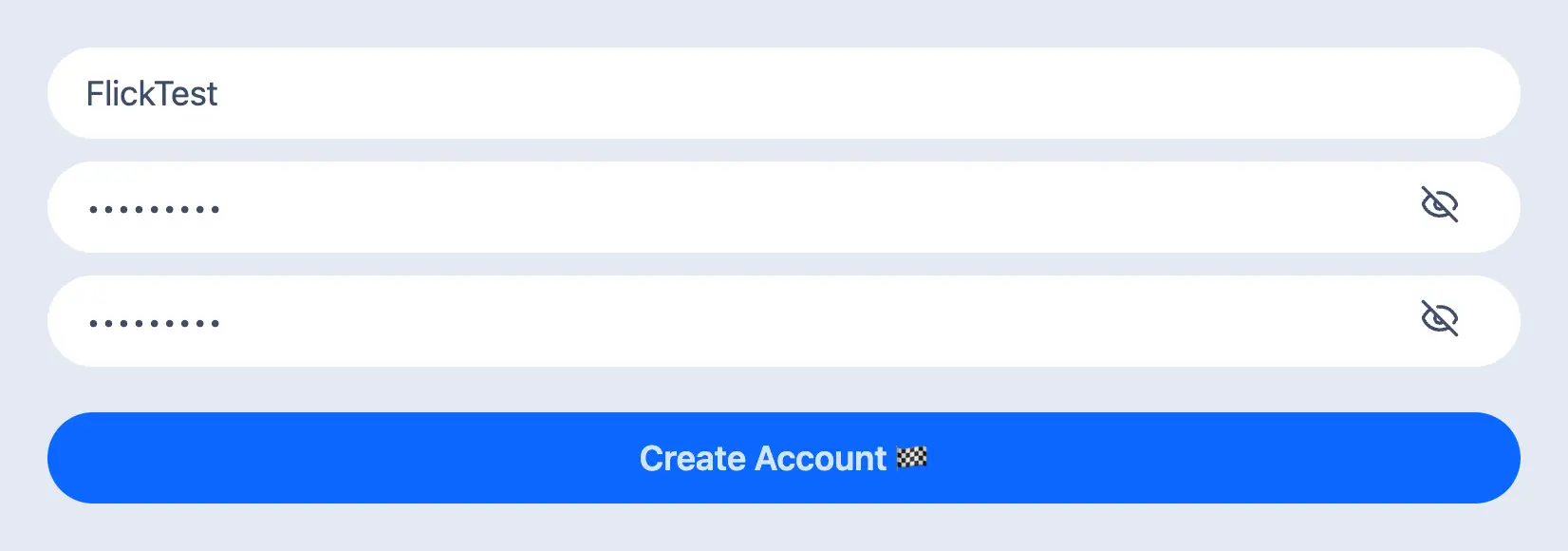
One of the biggest differences with Thundr is its anonymous sign-up option. You can create a Thundr account without using an email address. Simply choose a username, set a password, and start free random chats. This allows you to use the platform without sharing personal information during registration. Compared with platforms such as Instacams or Shagle , being able to create an account without providing personal details can be a major advantage for users who value anonymity. On the other hand, if you prefer, you can also sign up using your email address or Google account.
Thundr does not charge users for the basic video chat experience. The platform offers free video chat without requiring payment. However, if you want to become more visible to other users - especially to the gender you are interested in - Thundr offers a paid Boost option.
Key Differences of the Boost Mode
Thundr’s Boost mode does not appear to replace the platform’s free video chat features. Instead, it is an optional paid feature designed to increase your visibility to other users, especially among the gender you are interested in meeting. Basic random video chat, text chat, gender and country filters, and interest tags remain available without payment, while Boost is mainly for users who want more exposure and potentially more new connections.
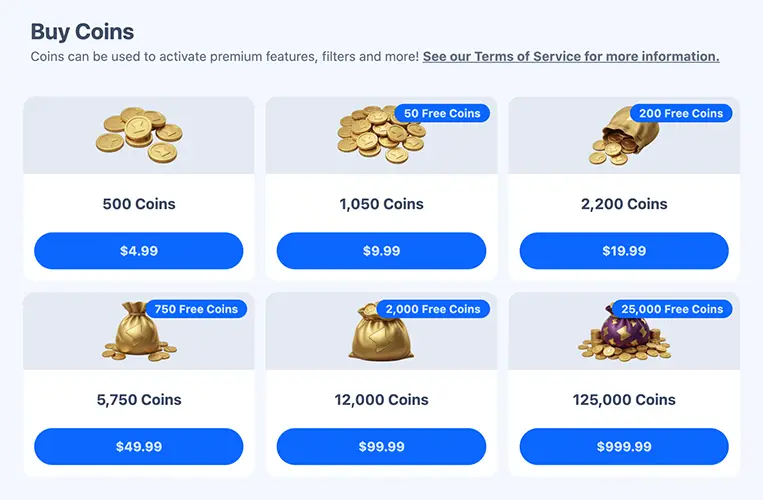
Thundr charges 450 coins for 10 minutes of Boost mode. A 30-minute Boost costs 1,000 coins, while one hour costs 2,100 coins and five hours costs 7,900 coins. You can see the coin prices in the table below. The platform also gives users free coins every eight hours. During our test, we received 10, 20, and 25 free coins multiple times.
Official Website: Thundr
Thundr Features: Free Random Video Chat, Filters and More
Thundr is definitely an exciting platform. It includes most of the key features you would expect from a modern random video chat website. The platform is easy to use directly in a browser, so there is no need to download anything. However, Android users can also download the Thundr mobile app from the Google Play Store.
The chat interface feels familiar to anyone who used the old Omegle: two video windows appear on the left, with the other person on top and your own camera view below, while the text chat area sits on the right. Because of this familiar layout, experienced random chat users should feel comfortable with the interface almost immediately. Thundr also offers free text chat, gender and country filters, and interest tags for users who want more control over their conversations.
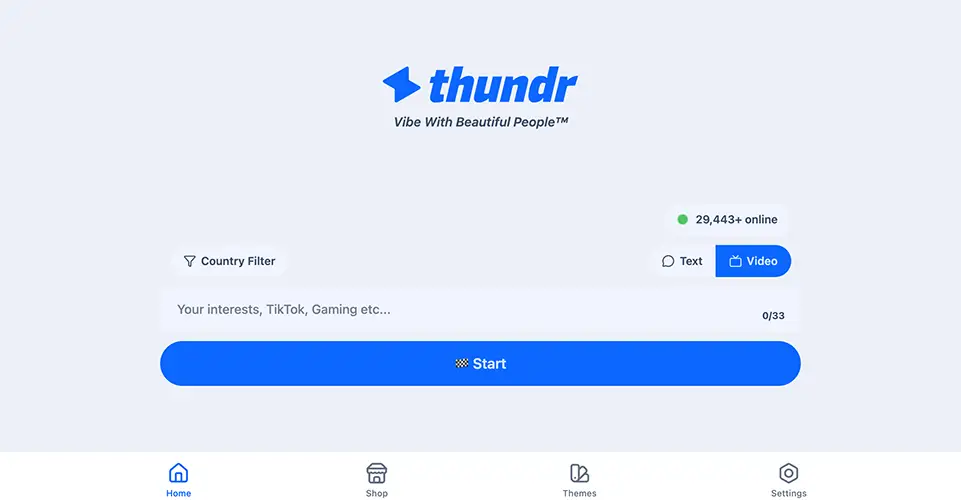
The quality of Thundr cam chats was very good during our test. Video quality naturally depends on your device, webcam, phone camera, and internet connection speed, but we also tested how well the platform itself handles video delivery. In our experience, when the camera and connection were good enough, Thundr delivered clear video at around 1024-pixel resolution without noticeable issues.
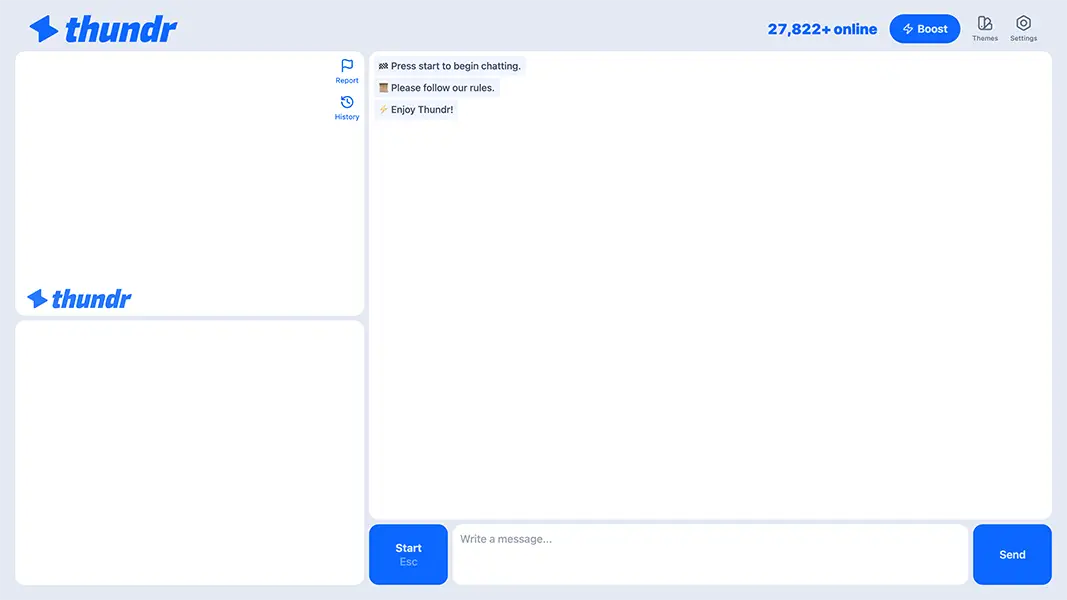
Thundr also has a global user base and supports users from more than 83 countries. The platform states that it has more than 10 million registered users. During our eight-day test, we usually saw the real-time online counter between 20,000 and 25,000 users. Since the system generally found us a new person almost instantly, those activity numbers seemed realistic based on our experience.
What We Like About Thundr
- 👍 Nearly every feature is free to use on the site.
- 👍 Worked smoothly in the browsers we tested on desktop and mobile devices.
- 👍 The country filter includes 83 countries.
- 👍 Thundr has an Android app available on Google Play.
- 👍 You can use interest tags to increase your chances of matching with people who share similar interests.
- 👍 Privacy mode works as it should.
- 👍 Users can report inappropriate behavior directly during a chat.
- 👍 Thundr uses AI-powered moderation to detect and reduce inappropriate content during chats.
- 👍 You can create an account with only a username and password without providing an email address.
Things That Could Be Better
- ❌ There is an iOS app, but it does not include the video chat feature.
- ❌ Anonymous access can increase abuse/fake-account risk.
- ❌ Greater visibility requires paid Boost credits.
Some Tips for Better Thundr Experience
- 💡 Use a stable internet connection for better cam chats. Video quality depends partly on your device and connection speed, so a stronger connection can help keep conversations smoother.
- 💡 Add interest tags before you start chatting if you want to increase your chances of meeting people with similar interests and having more relevant conversations.
- 💡 Use the free gender and country filters when you want more control over who you connect with instead of relying only on completely random matches.
- 💡 Collect the free coins Thundr gives you every eight hours before spending money on Boost mode. Saving those coins over time can help reduce how much you need to purchase.
- 💡 Take advantage of Thundr’s anonymous sign-up option, but still avoid sharing personal information such as your real name, email address, phone number, or location with strangers.
Safety Matters: Is Thundr Safe Enough?
During our eight days of using Thundr, we did not encounter any technical or system issues that appeared to create a security risk. We also checked community discussions on forums and rating platforms and found relatively few complaints specifically related to user security. Based on our own experience, Thundr appears to provide a reasonably safe environment for casual conversations. Users can also report inappropriate behavior during chats and end a conversation whenever they feel uncomfortable.
If you are planning to use Thundr like a dating app, we strongly recommend keeping your personal information private when talking to new people. It is always better not to share too much about yourself on a random chat platform, especially details such as your real name, phone number, address, workplace, or other information that could identify you offline. Thundr is designed for users aged 18 and older, but common sense is still one of the most important safety controls when talking to strangers online.
Thundr also provides a complete account deletion option, which is important for user privacy and control. Users can request deletion directly from their account settings, and account data is removed after 30 days as part of the deletion process. Any remaining coins are also removed. This gives users a clear way to leave the platform without having to contact support.
Thundr Explained in One Table
Thundr combines free random video chat with anonymous sign-up, interest-based matching, country and gender filters, and an optional paid Boost system. During our eight-day test, we also checked connection speed, video quality, browser and mobile access, user activity, and safety tools. The table below summarizes the main parts of the Thundr experience and what we observed while using the platform.
| Thundr Area | What Thundr Offers | What We Found |
|---|---|---|
| Basic Access | Free Random Video Chat | The main chat experience and most core features were available without payment. |
| Sign-Up | Username and Password Option | We were able to create an account without providing an email address. |
| Chat Modes | Video and Text Chat | Users can switch between webcam conversations and text-based chatting. |
| Matching Tools | Interest Tags | Tags can be used to increase the chances of meeting people with similar interests. |
| Filters | Gender and Country Filters | These filters were available without requiring a paid subscription. |
| Country Coverage | 83+ Countries | The wide country selection gives users more control over global connections. |
| Connection Speed | Fast Random Matching | During our test, Thundr usually connected us with another person almost instantly. |
| Video Quality | Clear HD-Style Video | With a good camera and internet connection, video delivery remained clear and stable during our test. |
| User Activity | 20K–25K Online During Our Test | The real-time counter usually stayed in this range during our eight days of testing. |
| Boost Mode | Optional Paid Visibility | Boost increases profile visibility without locking the core chat features behind payment. |
| Free Coins | Rewards Every Eight Hours | We received 10, 20, and 25 free coins multiple times during our test. |
| Browser Access | Desktop and Mobile Browsers | The platform worked without requiring a download. |
| Mobile Apps | Android + Limited iOS App | Android includes the Thundr app, while video chat was not available in the iOS app during our test. |
| Safety Tools | AI Moderation + In-Chat Reporting | Users can report inappropriate behavior and leave conversations whenever necessary. |
| Account Control | Full Account Deletion | Users can request deletion from their account settings, with account data removed after the deletion period. |
| Best Fit | Users Looking for a Mostly Free Omegle Alternative | Thundr is especially suitable for users who want fast random chats, free filters, and optional paid visibility rather than a subscription-based experience. |
Thundr: Our Expert Review (2026)
We tested Thundr for 8 days, using its random video chat, text chat, free filters, interest tags, anonymous sign-up, and optional Boost mode. We also checked connection speeds at different times of the day and used the platform on both desktop and mobile devices. Thundr connected us with new people quickly, and most of its main features remained completely free. The optional Boost mode adds extra visibility without limiting the basic chat experience. Overall, Thundr is a very good choice for users looking for a fast, modern, and mostly free Omegle alternative.

Hakan Kara
Video Chat Specialist at Flick Chat
Other Questions Answered About Thundr
Let’s quickly answer some of the most common questions about Thundr.
Yes. Thundr works directly in web browsers on both desktop and mobile devices, so you do not need to download an app to start chatting. Android users can also use the Thundr app from Google Play.
Thundr Boost mode is an optional paid feature that makes your profile more visible to other users. The platform’s core chat features remain free, so Boost is mainly for users who want extra exposure and potentially more connections.
You can request account deletion from the Accounts section by selecting “Request Account Deletion.” After submitting the request, the account enters the deletion process, and Thundr removes the associated data after 30 days. Any remaining coins on the account are also deleted as part of the process.
No. Thundr allows users to create an account without providing an email address. You can simply choose a username, set a password, and start chatting. If you prefer, you can also sign up using your email address or Google account.